A Godot game with Claude Code in three prompts (and do you need MCP?)
Claude Code built a small Godot game with a player, walls, a coin and a score, and tested it itself. Here are the prompts, and whether a Godot MCP server is worth it.
Before you start
- Godot 4. Download it from godotengine.org. We used 4.7.2 on a Mac.
- Claude Code. Follow the Claude Code install steps.
- An empty Godot project folder, which is any folder with a project.godot file in it.
- Optional: a Godot MCP server. We used godot-mcp. You can skip it; see below.
What we asked“Using the Godot tools, make a small 2D scene: a player you can move with the arrow keys and a few walls. Then run it and tell me if it works.”
What happened
- Created the scene and added the player with the Godot tools
- Wrote the player script, the walls and a middle block into the scene file
- Ran the game with the Godot tools: no errors
- Tested it headless, holding each arrow key
- Wrote the coin and score scripts
- Added the coin and score text to the scene file
- Ran the game with the Godot tools: no errors
- Ran pickup tests: the score went to 3, then 5
- Ran the game with a small capture script (the Godot tools can't take screenshots)
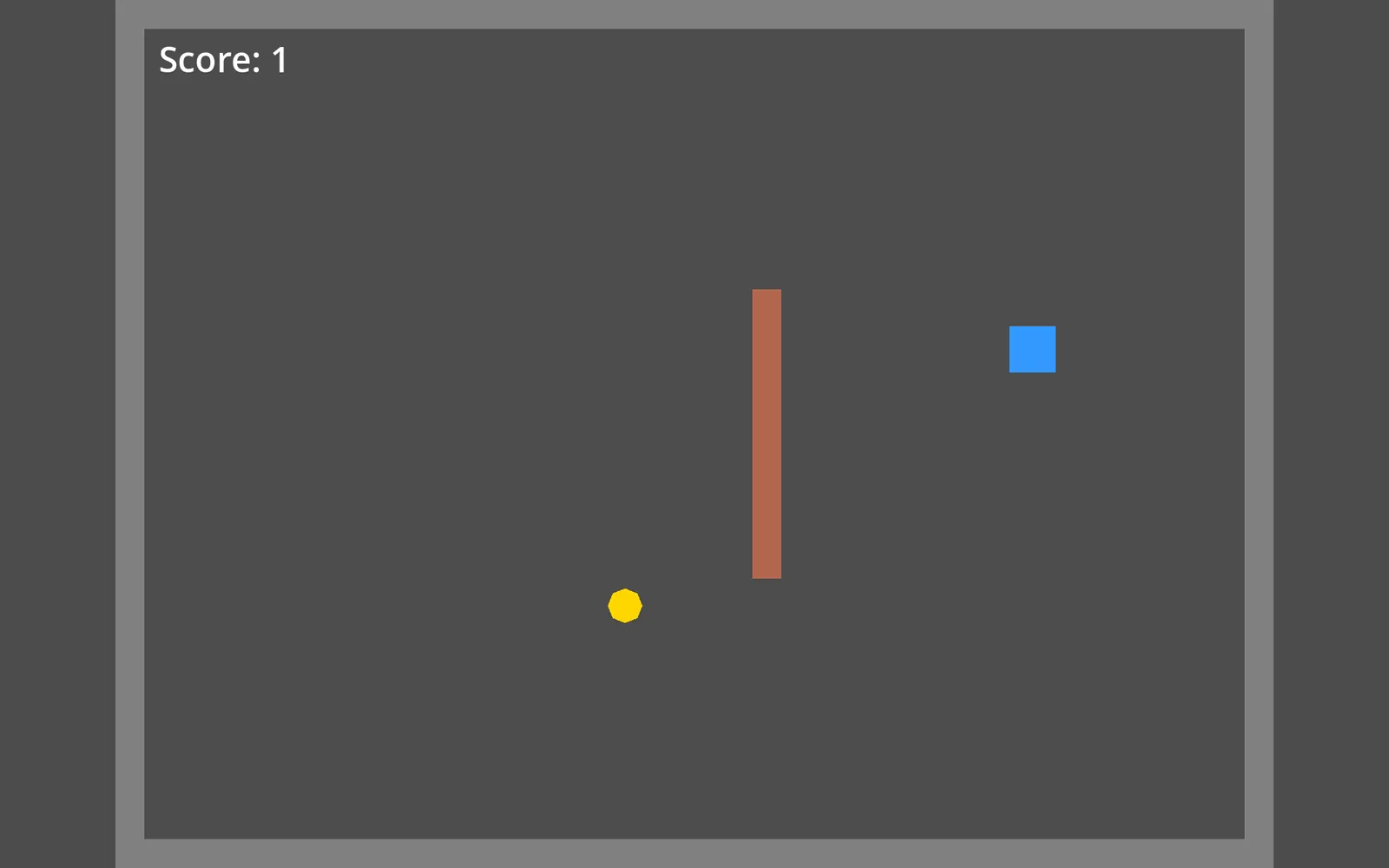
- Saved screenshot.png and looked at it
Three plain sentences gave us a working game, and Claude tested it itself. Godot’s scene and script files are plain text, so Claude Code can write them, run the game with the godot command, and read the errors without you clicking anything. We recorded it with a clean Claude Code (no personal skills or plugins).
Do you need a Godot MCP server?
No. An MCP server gives Claude extra buttons, like “create a scene” or “run the game”. We tried the community godot-mcp server. Its best part is running the game and bringing the errors back. Its scene tools were weaker: adding the player said it worked but dropped its position, so Claude wrote the scene file directly. It also can’t press keys or take screenshots, so Claude used small test scripts for those. Start without it, and add it later if you want to watch the game window open as Claude works.
Check the scene file
After any change, ask Claude to “check the scene file”. This catches most silent mistakes.
Next, if you are new to engines: choose your tools.
Was this useful?
Thanks, we read every message.