What is a game engine?
Every game runs the same small loop about 60 times a second. An engine runs it for you. Here is what it does, what you write, and why it matters when an AI writes the code.
A game engine is a ready-made program that runs your game. You add the parts that make the game yours. The engine does the rest.
The loop every game runs
Every game, from Tetris to a 3D open world, is the same small program at heart. It is a loop that runs until the player quits. Each pass has four steps:
- Input. The engine reads the keys, mouse, touch and gamepad buttons pressed since the last pass.
- Update. Your game rules run. The player moves, the score changes, a dialogue starts.
- Physics. The engine moves objects, finds collisions and pushes things apart.
- Render. The engine draws the new picture on the screen.
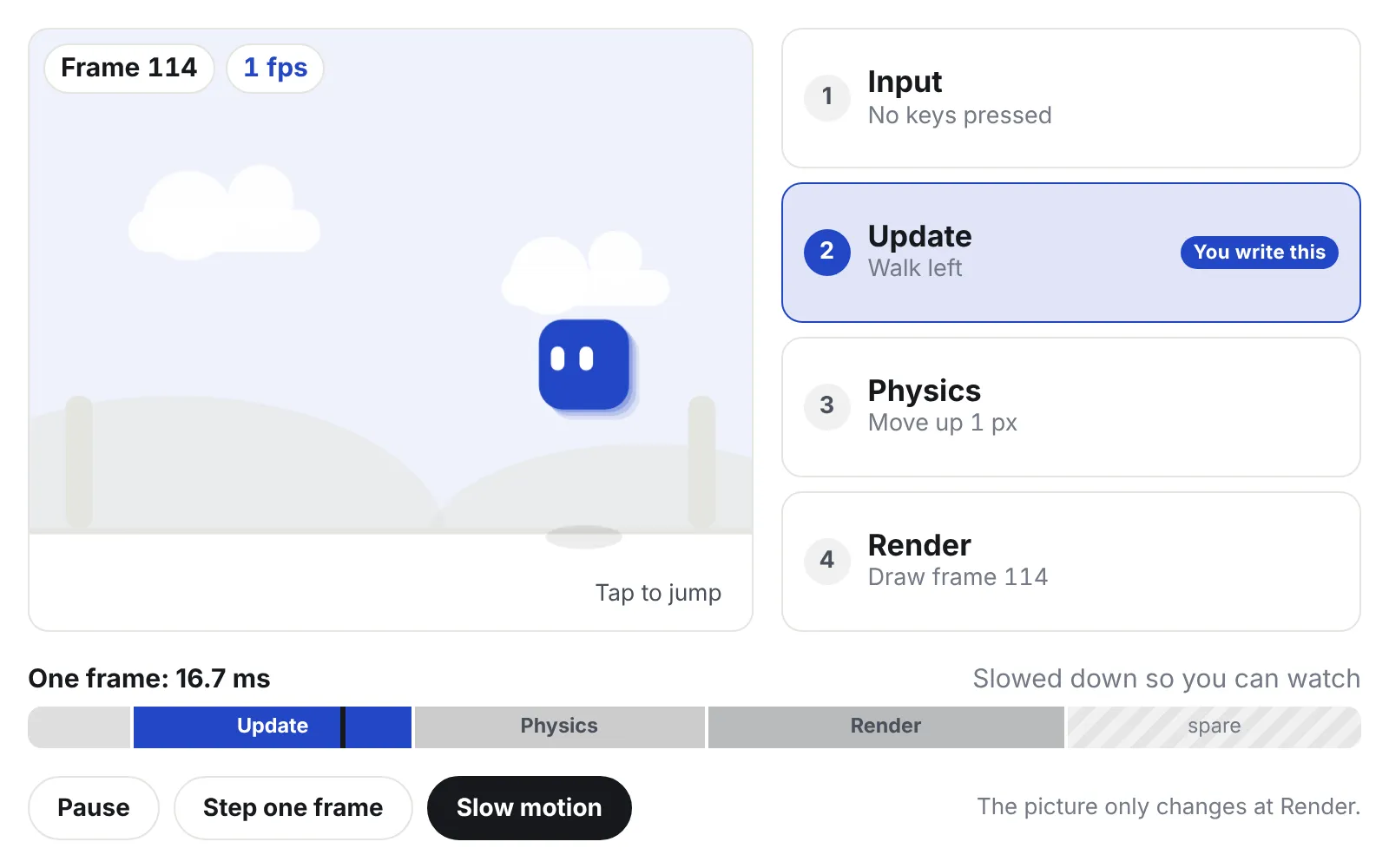
One pass is called a frame. A game usually runs about 60 frames a second. That gives the engine 16.7 milliseconds (1000 ÷ 60) for all four steps. If a frame takes longer, the game stutters.
The demo below runs this loop for real, 60 times a second. Tap the screen to jump. Press Slow motion to watch the four steps light up in order, or Pause and then Step one frame to run a single pass.
A live game loop. The bar shows one frame's 16.7 milliseconds; the picture only changes at Render.
Only one of the four steps is yours: Update, the blue one in the demo. This is why game code looks strange at first. You rarely write the start and end of the program. You write small functions that the engine calls once per frame. In Godot this function is called _process. In Unity it is called Update.
What you get, and what you write
An engine also brings the heavy parts that every game needs:
- a renderer that draws 2D and 3D, with lights, shadows and shaders
- physics for gravity, collisions and bouncing
- audio that plays and mixes many sounds at once
- input that handles keyboard, mouse, touch and gamepad in one place
- an asset pipeline that turns models, images and sounds into game data
- an editor, a visual tool to place things and press Play
- exporters that build your game for desktop, web, phones and more
None of this is your game, but your game cannot ship without it. Engines spend years of work on these parts.
You write what sits on top:
- the rules: what wins, what hurts, what a card does
- the content: levels, characters, dialogue, numbers
- the UI: menus, the on-screen display, inventory screens
- the glue: small pieces of code that connect your game to the engine
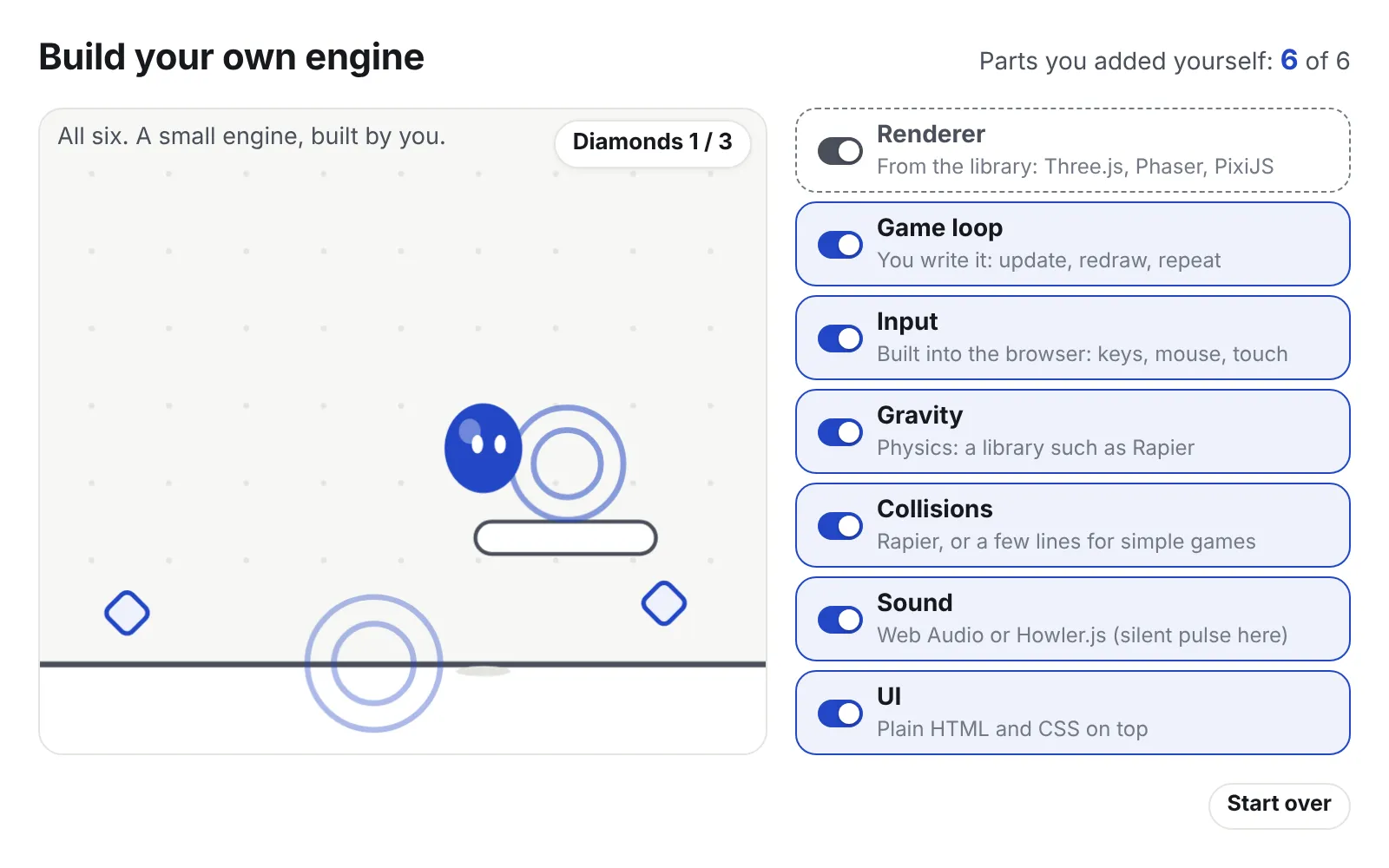
A library such as Three.js is different. It gives you mainly the renderer. You set up the loop yourself, and you add physics, input and an editor on your own. Part 4 of this series looks at that path.
Switch the demo between the two to see the difference.
With an engine, every part below the blue box comes ready-made. With a library, you add most of them yourself.
Getting started costs little
| Engine or library | Cost to start |
|---|---|
| Godot | Free, MIT licence |
| Unity | Free until revenue and funding pass $200,000 a year |
| Unreal Engine | Free until a game earns $1 million, then a 5% royalty |
| Three.js, Phaser | Free code libraries, MIT licence |
The MIT licence is a short open-source licence. You can use the code for anything, including games you sell.
Why this matters when an AI writes the code
An AI agent is a program, like Claude Code, that writes and runs code for you. It writes code against things it cannot change: the engine’s functions, its file formats and its build commands. The engine is fixed ground for the agent.
A popular engine with good documentation helps. The agent has seen many examples of it, so its mistakes are ordinary ones you can search for.
The second question is whether the agent can test the game without you. Some engines save scenes as text files and can build from the command line. Then the agent can change a file, build, run, read the errors and try again on its own. Godot can export a whole project with one command, godot --headless --export-release. Unity has a similar “batch mode”.
Other work lives inside a visual editor, in files that are not text and buttons that someone must click. Then a person has to sit in the loop.
Next: which engine to pick when an AI agent writes the code.