Too hard, then too easy: difficulty curve game design with time-to-kill targets and three more tricks
Tune enemies by numbers, not guesses: a player power curve, time-to-kill and time-to-die targets, a spike check and Sid Meier's double-or-halve rule.
What we asked“Make a web page that demonstrates the difficulty tuning tricks that keep enemies matched to the player's power one at a time, so anyone can see and feel each one within a few seconds. For each one, show the same short moment side by side: without it on the left, with it on the right, playing in a loop, with a caption that says what just happened and a replay button. Where it helps, let me play the moment myself. It will sit inside a blog post about 720 pixels wide, so it has to look good at that width and on a phone. Also make each one viewable alone with ?trick=<id>&solo, using these ids: power-curve, ttk-target, ttd-target, spike-check, double-or-halve. Pair each fight with a small live chart of the numbers behind it (time to kill, time to die, or the section-by-section curve), so the left side shows hand-guessed numbers and the right side shows tuned ones. Use the internet freely for better results: free CC0 art, fonts or small libraries (for example Kenney's CC0 assets) are welcome; download anything you use into this folder so the page works without outside links, and list each item with its licence and source in CREDITS.md.”
What happened
- Loaded the difficulty-tuning skill and the dataviz skill for the charts
- Downloaded Kenney's CC0 Tiny Dungeon sprites and Kenney Mini font
- Wrote one shared engine, five small simulations and an SVG chart for each side
- Checked the page at 720 px, inside a 375 px phone frame, and in light and dark mode
- Headless Chrome barely ran the animation loop, so stepped every simulation to its end in a script instead, in watch mode and play mode
- Added hover on chart bars and dots to show the exact numbers
A game that’s too hard in one place and too easy in the next usually has its enemy numbers set by guessing. Someone typed in a health value that felt right in one test, and then the player got a new sword. Difficulty is mostly two numbers per enemy: how long it takes you to kill it, and how long it takes it to kill you. Plan those, then tune by measuring. Slay the Spire’s team tracked “how much damage players using a given card took, on average, from a particular enemy”, and used it to retune fights (Game Developer).
Each demo below plays the same fight twice: hand-guessed numbers on the left, tuned numbers on the right. Under each fight is a small live chart of the numbers behind it, so you can see the difference as well as feel it. Point at a bar or dot for the exact value. Where there’s a Play it yourself button, you can take over: tap or press Space to swing (or block, in demo 3).
1. Plan a power curve
Write down how strong the player should be at each point of the game: damage per second (DPS) and health, in a small table. Then read enemy stats from that table, not from the player’s actual level. If enemies grow with the player, a new weapon changes nothing. Oblivion scales enemies to the player’s level, and GamesRadar calls it a “disappointing” part of the game that the remaster left in (GamesRadar). In our demo, you pick up a sword that doubles your damage. On the left, the slimes level up with you to 30 HP and still take 1.5 seconds each. On the right, their health comes from the plan, so they die in 0.75 seconds.
2. Aim for a time to kill
Give each type of enemy a target time to kill at the player’s expected damage. A good start: fodder 0.5 to 1 second, regulars 2 to 4, elites 8 to 15, bosses 60 to 180. Then health = expected DPS × target time. Designer Alex Trowers works out “how long it would take the player to kill the monster” the same way in his tuning spreadsheets, and adds that “it’s no replacement for playing the damn game” (Alex Trowers). In our demo, three lanes fight at 10 damage per second. The guessed health values give 3.5 s for fodder, 1.25 s for the regular and 22 s for the elite. The formula gives 0.75 s, 3 s and 8.5 s, each inside its band on the chart.
3. Aim for a time to die
Now the other direction. Decide how many hits from each enemy should kill the player: about 6 to 8 from early regulars, fewer later on. Then damage = expected player health ÷ hits to die. Trowers’ spreadsheet has the same line: “timeToKillPlayer = playerHealth / monsterDamage” (Alex Trowers). In our demo, an early orc and a late brute attack you. On the left, the orc kills you in 3 hits, with no room to learn, and the brute needs 20, so it’s no threat at all. On the right, it’s 7 and 5. Tap when you see ”!” to block.
4. Check the whole curve for spikes
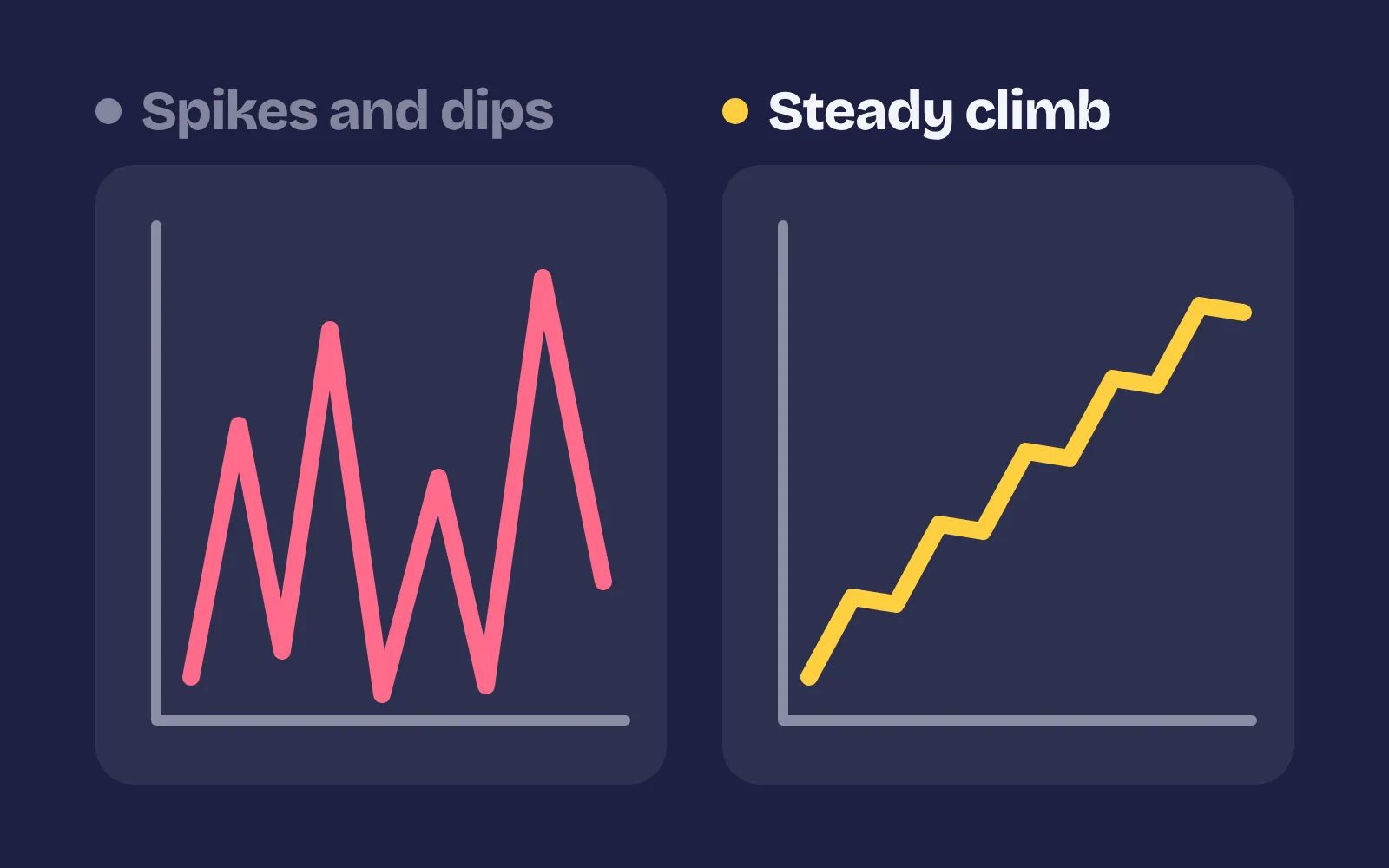
A single fight can be on target and the game can still have a wall in it. For each section, add up enemy health ÷ expected DPS (the seconds of fighting) and plot it. It should rise in waves, with a rest after each peak. Flag any section more than about 1.5× harder than the one before, and any long flat stretch. Slay the Spire’s team found one fight, The Awakened One, too hard for some decks from their data, retuned it, and then saw “more players beating the boss” (Game Developer). In our demo, a run through 8 sections plays fast-forward. On the left, section 4 is 2.6× harder than section 3 and kills you, and sections 5 to 8 are flat. On the right, it rises in waves with rests after the peaks.
5. Double it or cut it in half
When a number is wrong, a 5% change is too small to feel in a playtest. Change it by 2× or ½, play, and then close in from both sides. Soren Johnson calls this one of “Sid’s Rules”, after Sid Meier: instead of lowering a weak unit’s cost by 5%, double its strength. The original Civilization’s map was cut in half to fix slow play (Designer Notes). In our demo, an orc takes 8 seconds to kill and should take 3. On the left, five 5% nudges still leave it at 6.19 seconds. On the right, halving twice and then meeting in the middle lands on 3.0 seconds in 3 changes. Press Play it yourself and try to reach the band with each method.
Targets are a starting point
The numbers in this post are a place to start, not a rule from any one game. Use them like this:
- Measure, then play. Run a bot or a scripted fight at the expected power against every enemy type and section. Real time to kill and time to die should land within about 25% of the target. Then play it, because the spreadsheet can’t tell you if a fight is fun.
- Tune for your genre. A fast action game wants shorter times to kill than a slow RPG. Move the whole table together, not one enemy at a time.
- Keep the rests. A curve that only goes up is tiring. A quiet section after a hard one is part of the curve.
- Planned difficulty first, adaptive difficulty second. If you also want the game to adjust to each player, start from a good fixed curve. See adaptive difficulty and rubber-banding.
If hits feel spongy even when the times are right, look at the numbers the player sees: combat numbers and the damage formula.
Add it to your game
- Copy the skill at the end of this page into your project.
- Ask your agent: “My game is too hard in some places and too easy in others. Tune the difficulty curve.”
- Play it, then tune in plain words: “The elites in the second area still take too long to kill.”
Art in the demos: Tiny Dungeon and Kenney Mini by Kenney (CC0).
The skill that made it work
This is the whole skill we gave Claude Code. Copy it into your project and ask your agent to tune your difficulty curve. Every trick sits behind its own switch, and the last step makes it measure time to kill and time to die against the targets.
- Find every enemy's health, damage and attack rate, the player's damage and health, and where each enemy appears.
- Put every trick behind one named switch in a single settings object, all on by default, so the old hand-set numbers can be compared.
- power-curve. Write the player's expected damage per second (DPS) and health at each point as a small table. Read enemy stats from this table, not from the player's actual level, so growing stronger still feels stronger. Oblivion scaled enemies with the player's level, a well-known complaint.
- ttk-target. Give each enemy type a target time to kill at expected power, for example fodder 0.5 to 1 s, regulars 2 to 4 s, elites 8 to 15 s, bosses 60 to 180 s. Set
health = expectedDPS * targetTTK. - ttd-target. Do the same the other way: decide how many hits from each enemy kill the player (about 6 to 8 from regulars early, fewer later) and set
damage = expectedHealth / hitsToDie. - spike-check. For each section add up enemy health divided by expected DPS, and incoming damage per second. Plot it. It should rise in waves; flag any section over about 1.5x the one before, and any long flat stretch, then fix it or add a rest after it.
- double-or-halve. When a number is wrong, change it by 2x or 0.5x, play, then close in. A 5% nudge can't be felt. This is Sid Meier's rule, as Soren Johnson tells it.
- Measure it. Run a bot or scripted fight at expected power against every enemy type and section, tricks on and off. Report actual time to kill and time to die against the targets (within about 25%), the list of spikes, and from playtests the deaths and damage taken per section.
Save it as .claude/skills/difficulty-tuning/SKILL.md in your project. Or connect your agent and type /aigamedev: it loads this skill with its reference files and the results from this post.