Why your jumps land with no weight: landing dust, hit sparks and three more game particle effects
Five game particle effects that sell an action, shown side by side: landing dust, hit sparks, motion trails, smoke that fades and a colour ramp, with numbers you can copy.
What we asked“Make a web page that demonstrates the particle effect tricks that make actions feel solid one at a time, so anyone can see and feel each one within a few seconds. For each one, show the same short moment side by side: without it on the left, with it on the right, playing in a loop, with a caption that says what just happened and a replay button. Where it helps, let me play the moment myself. It will sit inside a blog post about 720 pixels wide, so it has to look good at that width and on a phone. Also make each one viewable alone with ?trick=<id>&solo, using these ids: landing-dust, hit-sparks, motion-trail, smoke-fade, color-ramp. Use the internet freely for better results: free CC0 art, fonts or small libraries (for example Kenney's CC0 assets) are welcome; download anything you use into this folder so the page works without outside links, and list each item with its licence and source in CREDITS.md.”
What happened
- Loaded the particles skill
- Downloaded Kenney's CC0 Particle Pack and turned two smoke puffs and a soft glow into white-on-transparent textures the page can tint
- Wrote the particle code and the five scenes, then checked them in a headless browser
- Captured slow-motion frame sequences to judge the sparks, trail and colour ramp up close
- Stacked Without above With on phones and changed the captions from "left/right" to "Without/With" to match
- Fired each effect 20 times with the trick off and on, and counted particles
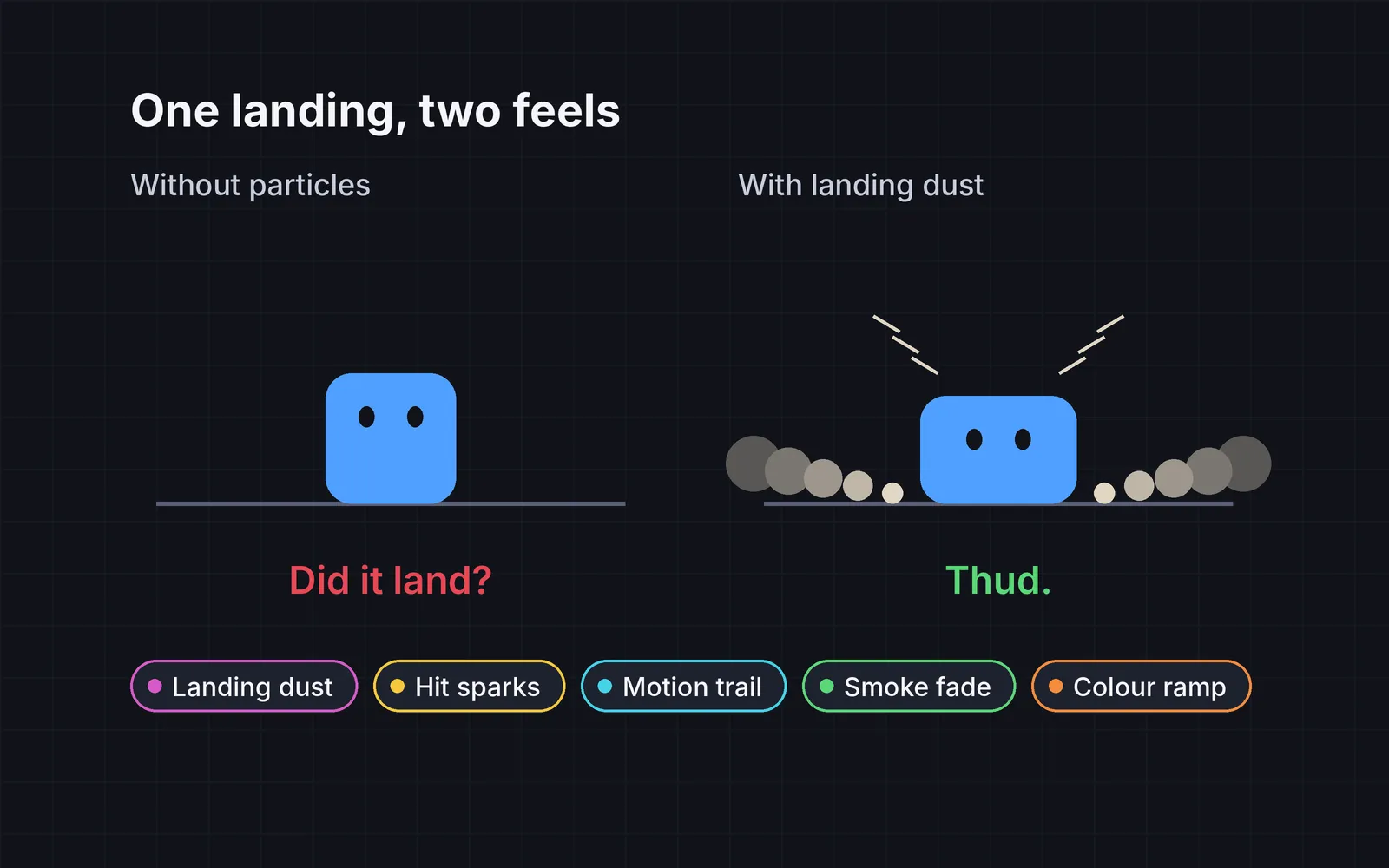
Your character lands, and nothing tells you they did. Your punch connects, and the only proof is a health bar. Particles fix this: a short burst that says something happened here, this hard, in this direction. Martin Jonasson and Petri Purho’s GDC talk “Juice It or Lose It” showed how much small effects like these change the feel of a plain game. Below, each demo loops the same moment with Without on the left and With on the right. Tap either stage to do it yourself (or press Space when a stage has focus), and use Slow-mo to see the particles one frame at a time. The line under each stage counts particles live, and The numbers holds the settings, with a Copy button.
1. Landing dust
On landing, burst 6 to 10 puffs at the feet, all at once, sent sideways along the ground with a little lift. Godot calls the all-at-once part “Explosiveness”, and a burst that fires once and stops “One Shot” (Godot docs). Scale the count with fall speed, so small hops get none. The Unity manual’s own example of this idea is a car kicking up dust that moves with it (Unity manual). In our demo, a landing at 540 px/s throws 8 puffs that are gone in half a second. Tap higher on the stage to jump higher.
2. Hit sparks
On a hit, burst 8 to 14 thin streaks in a cone pointing away from the attacker, fast, with strong drag, and gone in a quarter of a second. Stretch each streak along its direction so it reads as a spray, not dots. Bigger hits get more and longer sparks. Masahiro Sakurai has a whole video on hit effects; a summary of it notes how much they matter in Smash Bros., where the camera is pulled far back (GoNintendo). In our demo, every third quick punch is heavy and throws 14 sparks. They’re fast, so try Slow-mo.
3. Motion trail
Behind dashes and fast shots, leave a ribbon that lives 0.15 to 0.3 s, tapers to nothing and fades from about half opacity. Unity’s Trail Renderer works the same way: each point of the trail has a lifetime, and a width curve tapers it (Unity manual). Stop emitting below a speed threshold, so walking leaves no trail and dashes stand out. Tap anywhere on the stage to dash there.
4. Smoke that fades
Smoke should grow, drift up, slow down and fade out, never blink off. Unity’s manual says smoke “will tend to disperse and occupy a larger volume over time”, and its example particle is invisible by the time its life ends (Unity manual). Grow each puff to 2 or 3 times its size while its opacity eases from about 0.5 to 0. When the slime is defeated, the left side’s puffs stay the same size and pop out of existence. With this trick off, 140 particles vanished while still visible in our measurement; with it on, none did. Tap to defeat the slime, and tap again to bring it back.
5. Colour over life
Fire and sparks look hot when they start white and cool through yellow, orange and dark red to grey. Unity’s Color over Lifetime module uses the same example: “white hot sparks will cool as they pass through the air” (Unity manual). Also vary each particle’s lifetime by about 20% (Godot lets you randomise it), so the burst thins out instead of vanishing all on one frame. In our measurement, the most particles disappearing on a single frame dropped from 24 to 6. Tap anywhere to set off a blast.
Keep it short and cheap
Particles are seasoning. Too many, or too long, and they hide the thing the player needs to see. The rules the skill measures against:
- Clear the screen fast. In our demo, hit sparks are gone in 0.25 s, landing dust in 0.5 s and the explosion in 0.9 s.
- Set a budget. Normal play here peaks at 34 particles alive at once. Spamming an explosion every 0.1 s peaks at 242, still under a 300 budget.
- Nothing pops. Count particles removed while still above 5% opacity. It should be zero.
Add it to your game
- Copy the skill at the end of this page into your project.
- Ask your agent: “Add particle effects so my jumps and hits feel solid.”
- Play it, then tune in plain words: “The landing dust is too big for small jumps.”
Art in the demos: textures from Particle Pack by Kenney (CC0). Font: Fredoka by The Fredoka Project Authors (SIL Open Font License 1.1).
The skill that made it work
This is the whole skill we gave Claude Code. Copy it into your project and ask your agent to make your jumps and hits feel solid. Every effect sits behind its own switch, and the last step makes it count popped particles and check the budget instead of guessing.
- Find the moments that need selling: landings, hits, dashes, deaths, pickups. Note where each happens and its speed or damage.
- Put every trick behind one named switch in a single settings object, all on by default, so each can be tested on its own.
- landing-dust. On landing, burst 6 to 10 puffs at the feet, all at once. Send them sideways along the ground (60 to 120 px/s) with a little lift (10 to 30 px/s), life 0.3 to 0.5 s. Scale the count with fall speed; small hops get none.
- hit-sparks. On a hit, burst 8 to 14 thin streaks in a cone of about 60 degrees, pointing away from the attacker, at 300 to 600 px/s with strong drag, life 0.1 to 0.25 s. Stretch each streak along its velocity. More sparks for bigger hits.
- motion-trail. Behind dashes and fast projectiles, leave a ribbon or afterimages that live 0.15 to 0.3 s, taper to zero width and fade from about 50% opacity. Stop emitting below a speed threshold.
- smoke-fade. Smoke and death puffs grow from 1x to 2 to 3x, drift up 20 to 40 px/s and slow down, while opacity eases from about 0.5 to 0. Nothing should vanish while still visible. Randomise start size and rotation by about 30%.
- color-ramp. Change colour over each particle's life: sparks and fire go white, yellow, orange, then dark red or grey, so they look hot and then cool. Randomise lifetime by about 20% so a burst doesn't die all on one frame.
- Measure it. Trigger each effect 20 times with tricks on and off. Report particles removed while still above 5% opacity (should be zero), the peak number alive at once (stay under your budget, for example 300), and how long until the screen is clear after a hit (under about half a second).
Save it as .claude/skills/particles/SKILL.md in your project. Or connect your agent and type /aigamedev: it loads this skill with its reference files and the results from this post.