Pixel art with Claude Code and a local image model: from squares to night ruins
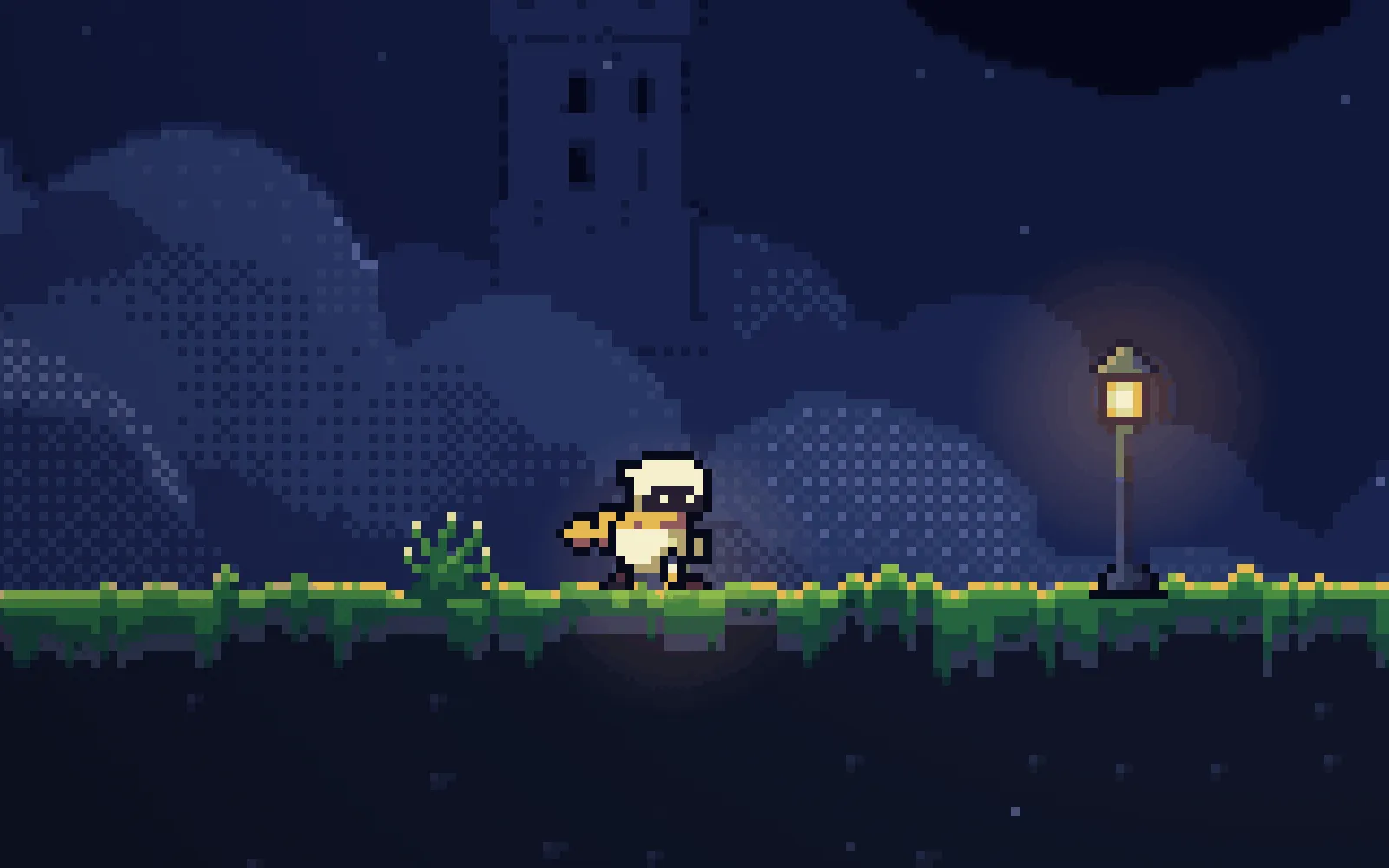
One prompt and a skill turned our platformer's coloured squares into night ruins above the clouds, with a lantern-bearer hero, mossy edges and a starry sky. Drag the slider to compare, then play it.
Before you start
- The chapter with sound from part 10: 36 rooms in a single-page Phaser game with juice, sound, tests and a route for every room.
- Claude Code, started in the game's folder, plus Node and Playwright for the tests and screenshots. The art scripts need only Python 3.
- Optional: ComfyUI running locally with FLUX.2-klein, for the backgrounds. Without it, the skill draws the backgrounds in code.
- The skill at the end of this page, in the folder's .claude/skills/pixel-art/. Then give the prompt below to a fresh session.
What we asked“Give the game real pixel art in this direction: night ruins above the clouds, with a starry sky and a moon, a sea of clouds below, mossy stone edges with warm lanterns and distant floating ruins. Make it look like a game people would want to play, and give the hero some personality. Don't change how anything plays.”
What happened
- Loaded the pixel-art skill and read the game
- Started the difficulty measurement of all 36 rooms as a baseline
- Checked that ComfyUI was running on the Mac
- Generated a sky and a row of floating ruined islands with FLUX.2-klein
- Turned them into pixels in the game's palette
- Saved the baseline: 36 of 36 routes pass, 25 of 25 tests pass, plus the full difficulty table
- Rendered the edge-band terrain for every room on one sheet
- Drew the hero, every object and the props as pixel arrays in Python
- Added an art layer to the game that hides each old shape and draws a sprite in its place, with ?art=0 bringing the shapes back
- Took screenshots, found the HUD missing, and traced it to its screenshot window being too small, not the game
- Looked at contact sheets of all 36 rooms, a 2× close-up and a greyscale version
- Checked ?juice=0 and ?art=0, and a lit checkpoint
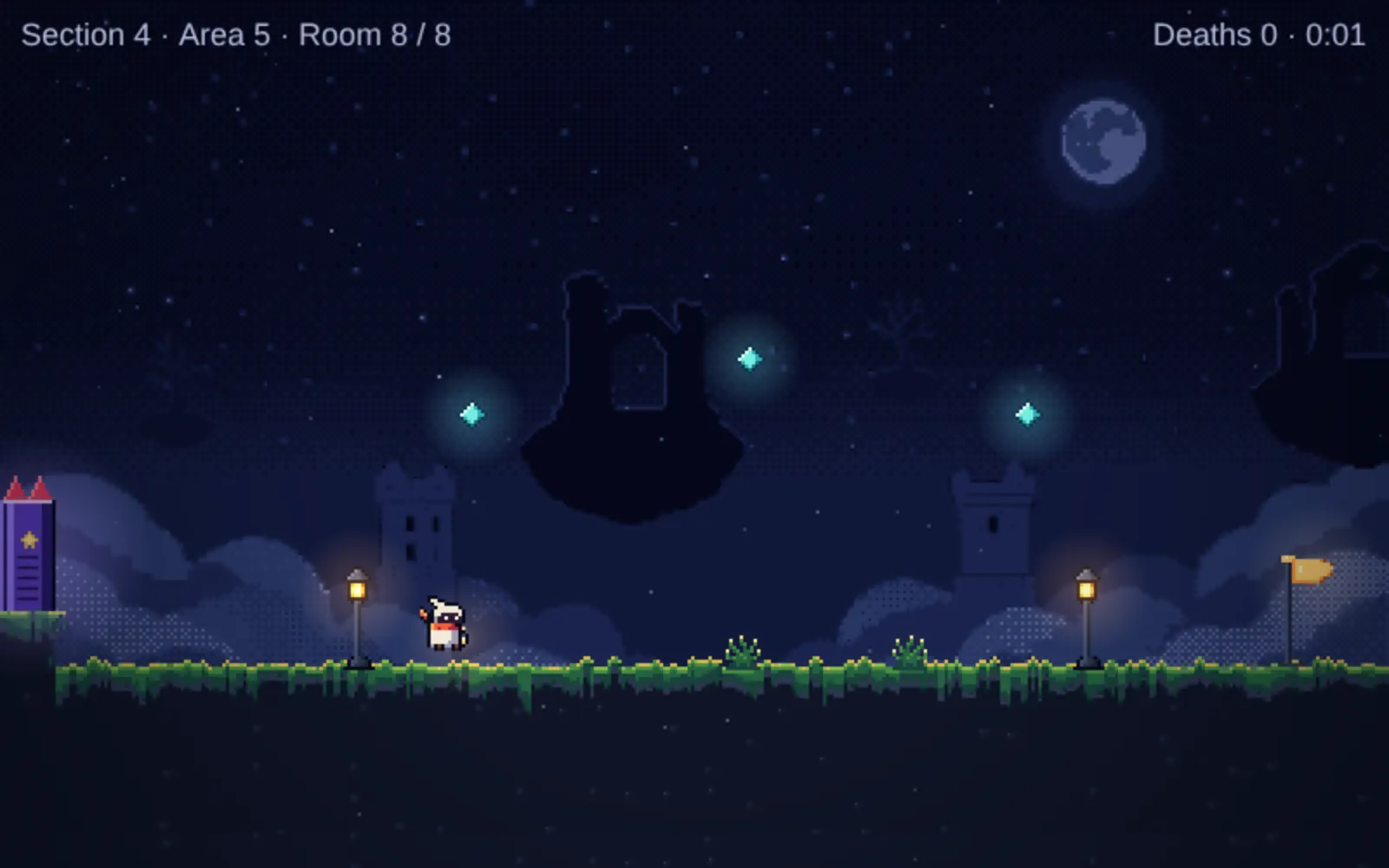
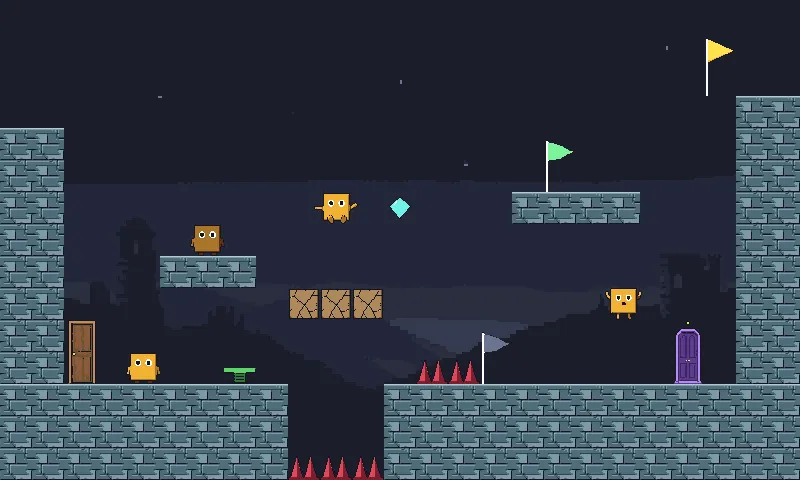
Until now the platformer was coloured squares on grey-blue. One prompt turned it into night ruins above the clouds. Drag the divider to compare the same room before and after.
Both sides are screenshots of the real game at 800×480. The left side is the same game with ?art=0 in the address.
What Claude made
- A hero called Wick: a small lantern-bearer in a cream hooded cloak with bright eyes, a red scarf and a lantern. The scarf and lantern turn blue once the double jump is spent. Wick has idle, run, jump and fall frames, blinks, and looks up at the moon after standing still for a while.
- Terrain of dark stone with mossy, uneven edges where you walk, drawn from each room’s grid by the skill’s edge-band renderer.
- Backgrounds from FLUX.2-klein running locally: two tries at the sky and one layer of floating ruins, turned into pixels in the game’s palette.
- New looks for every object and some props: rose-red spikes, cracked-stone crumbling blocks, mossy springs, cyan crystal orbs, lit stone doorways, a gold goal banner, lanterns, plants and broken pillars.
- Effects: a soft vignette, twinkling stars, drifting dust and glows around lanterns and orbs.
Adding ?art=0 to the address brings back the old look.
How we chose the look
Our first try had the image model make each asset on its own. Every piece looked fine alone, and together they didn’t match.
The first pass, one asset at a time: nothing shares a light, a palette or a pixel size.
So we built the same room five ways: the play layer in code with an image-model background, the whole scene from the image model, an image-model tileset placed by code, everything in code, and a local SDXL model with a pixel-art LoRA. Code for everything you touch, plus a model for the scenery, was the only one that stayed consistent from room to room and still looked rich.
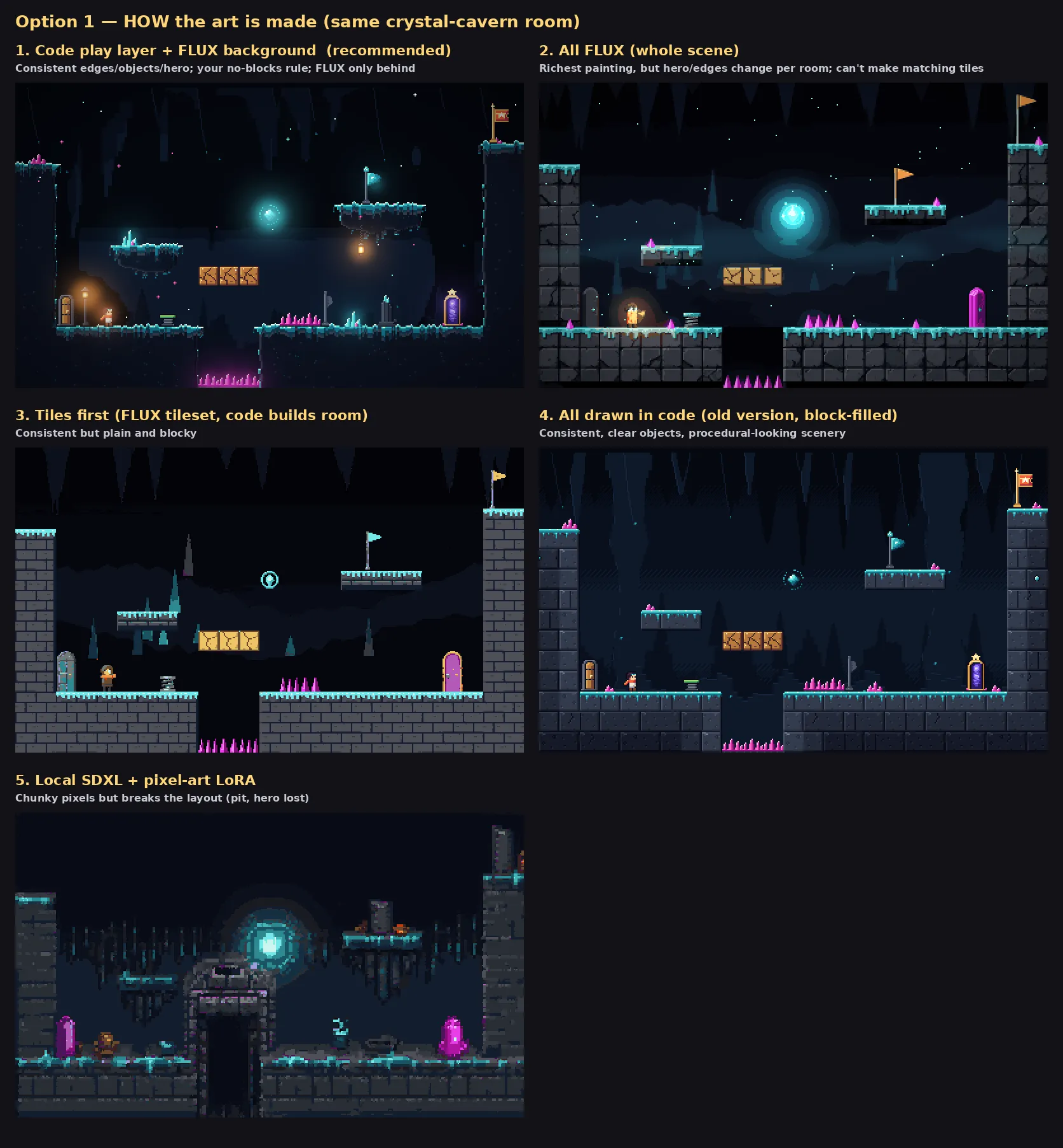
Five ways to make the art, same room. The first won.
xz’s rule changed the result more than anything else: don’t fill terrain with blocks. In the fourth panel above every tile is a visible block, and the room looks like a brick wall. In the first, the inside of the ground is a dark mass and all the detail sits on the edges you walk on.
Then we tried five looks on that method: night ruins above the clouds, a crystal cavern, sky ruins at sunset, a windy mountain at dawn and an overgrown temple in mist.
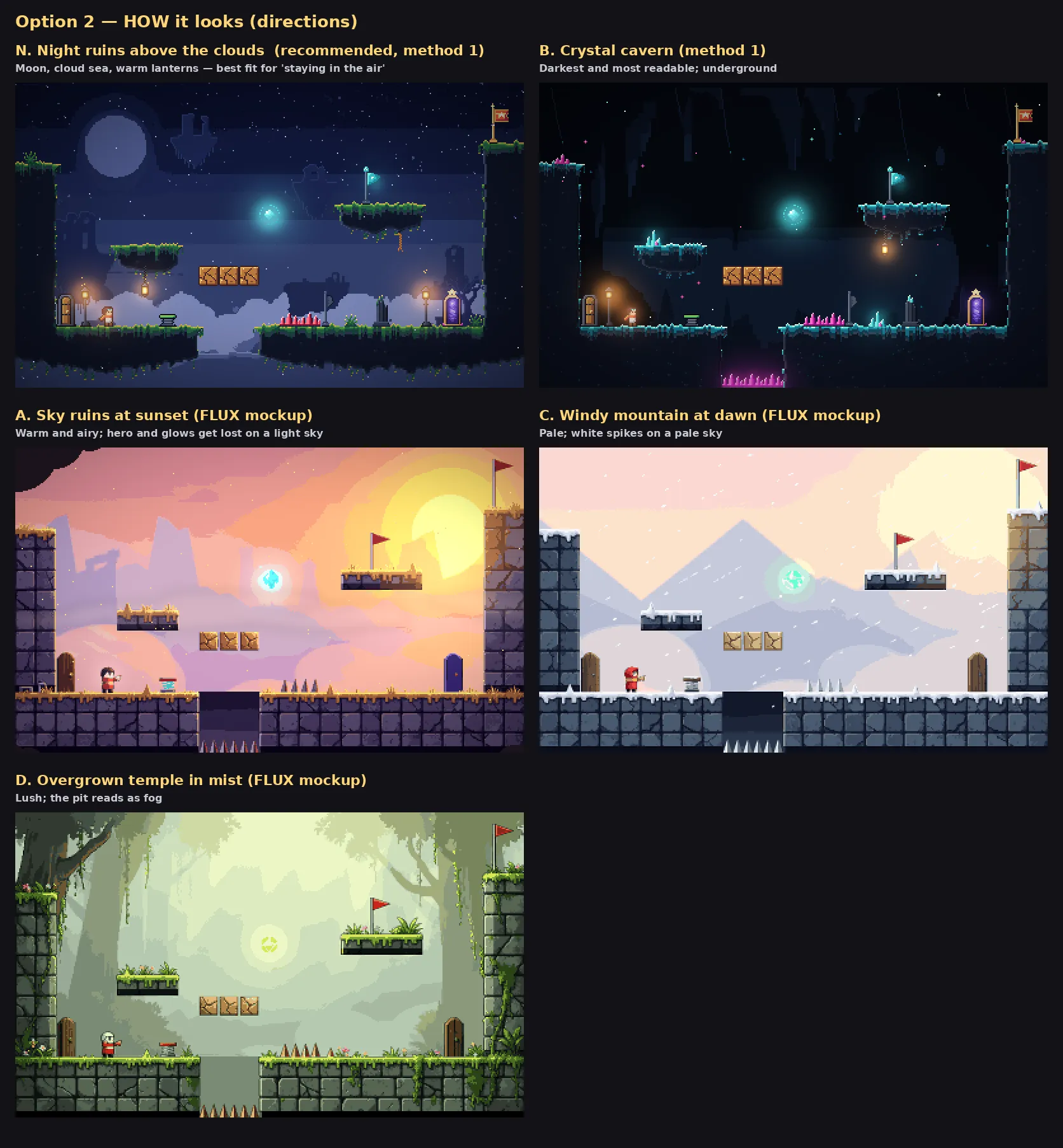
Five looks, same room. In the light ones the hero, the glows and the spikes get lost against the sky.
We picked the night ruins. The game is about staying in the air, and a cloud sea below makes every pit read as a fall. Warm lanterns stand out against a cool moonlit sky, and on a dark background the hero and the orbs are the brightest things on screen.
Gameplay unchanged
The difficulty measurement of all 36 rooms came out identical before and after, all 36 routes still pass, and a full playthrough reaches the end.
What the session missed
Our own checks after the session found these:
- Springs blend into the mossy ground; room 27 is the worst.
- Crumbling blocks read as wooden crates, not cracked stone.
- The hero looks grey and dim at the start of a room.
- The same big, dark floating-ruin silhouettes sit behind every room, and they can be mistaken for platforms.
- The goal banner stands out less than the doors.
- The sprite is narrower than its hitbox. The session flagged this itself but left it.
We’ve since added all six to the skill’s rules, so the download will ask for them.
It took one prompt and no follow-ups: 13 minutes and $3.32 of Claude Code working alone on a Mac with a local image model.
Get the skill. It works for any tile-based browser game, with or without an image model. You can also install all seven skills as a Claude Code plugin or replay this part from its starting files.
Click to start; M mutes. Arrow keys or A/D to move, Up, W or Space to jump. You need a keyboard. Open the game with ?art=0 for the old look. We only added the start screen and Phaser loaded from this site.
Recorded with a clean Claude Code: no personal skills, plugins or MCP servers. The session had pixel-art and our earlier game-juice, game-sound, platformer-feel and platformer-levels skills installed.
The skill that made it work
It makes Claude settle the look on one real room first, keep detail on the walking edges, draw everything the player touches in code, use an image model only for scenery, and prove the game plays the same.
- Set the direction on one key image first: a mockup of a real room with background, terrain, hero, a hazard, a pickup and the exit. Take the palette and value plan from it.
- Plan values: dark, soft background; a clear mid-value play layer; the hero and pickups brightest; danger in a colour nothing else uses. One light direction, top left.
- Don't fill terrain with blocks. The inside is a dark mass near the background value, and the detail sits in an uneven band where the player walks. Crumbling blocks and springs keep their block shape in another material.
- Draw the play layer in code, 16 px of art per tile at 2×. Use an image model only for backgrounds, reduced to the background colours; without one, draw backgrounds in code and say so.
- Make an original hero that reads at 1×: a distinct silhouette, one memorable detail, frames built from shared parts, palette swaps for game states, sized from the hitbox.
- Add a few props on edges, never covering hazards, pickups, exits or the path. Warm lights against cool surroundings; glow, vignette and particles in code.
- Never change how the game plays: hide old shapes instead of removing them, and run the measurement before and after. The results must match exactly.
- Check every room at 1× and 2× and report the direction, what came from the model, the measurements and anything left unfixed.
Save it as .claude/skills/pixel-art/SKILL.md in your project.
Was this useful?
Thanks, we read every message.
Part 11 of Make a complete platformer with AI