Juice, sound and music for an incremental game: loud when it matters, never noise
One prompt and a skill gave our sushi chain three tiers of feedback, sounds for the kitchen and the customers, and layered music for six cities that can play for hours, all made in code. Busy moments merge so automation never becomes noise. Part 6. Listen to each city.
What we asked“Make Neta feel great to play and to listen to. Every sale, purchase, new dish, pack and new shop should land with the right weight, it should never turn into noise once managers run things, and each city should have its own calm, layered music you could leave on for hours, plus sound effects for the kitchen and the customers.”
What happened
- Loaded the shop-juice skill and sorted every game event into three tiers: ambient, notable and milestone
- Built a sound engine in Web Audio with separate buses for music, effects and ambience
- Wrote one shared theme and a version for each city, in four layers that fade in as the shop fills
- Made kitchen and customer sounds from shared materials (wood, ceramic, fish, rice, paper) with 3–5 variations each
- Rendered each city's mix offline and measured its loudness
- Recorded the events of a busy late game with all managers working and counted what actually plays each second
- Checked that a save after 20 simulated minutes is identical with and without the effects
After part 5 Neta has six shops and three managers buying things on their own. That's a lot of events: in a busy late game, up to 20 per second. If every one of them plays a sound and pops a number, the game turns into static. This part is about giving each event the right weight, and about music you can leave on.
Listen to each city
All of this is made in code with Web Audio: no sample files, no licences. Each clip is 45 seconds of the city's music, rendered by the game's own sound engine:
The last clip is Tokyo's full mix in a busy shop: music, ambience and the kitchen and customer sounds on top. Claude was honest about one thing: it checked all of this with measurements but couldn't listen to it. You can.
Play it
Click the game to start the sound. The speaker icon opens the volume sliders and a reduced-motion switch. Open full screen
1. Three tiers of feedback
"Juice It or Lose It" (GDC Europe 2012) showed that the same game feels completely different once every action has a response (GDC Vault). Two years later "Don't Juice It or Lose It" warned that effects that don't fit the world cost more than they add (Game Developer). So the skill sorts every event into three tiers:
| Tier | Events | What happens |
|---|---|---|
| Ambient | a sale | a "+n", a coin to the till, a soft coin sound that climbs a note per coin in a streak |
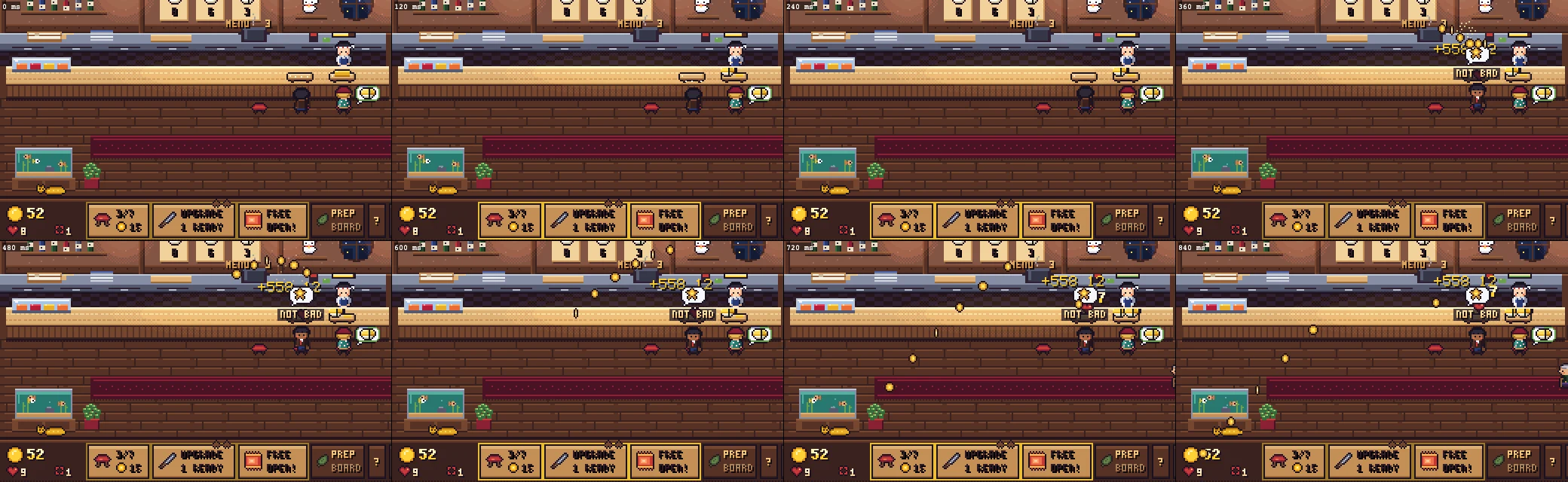
| Notable | a purchase, a big sale | the thing you bought reacts, a rising two-note in the city's key, gold text and a small shake for a sale 4× the usual |
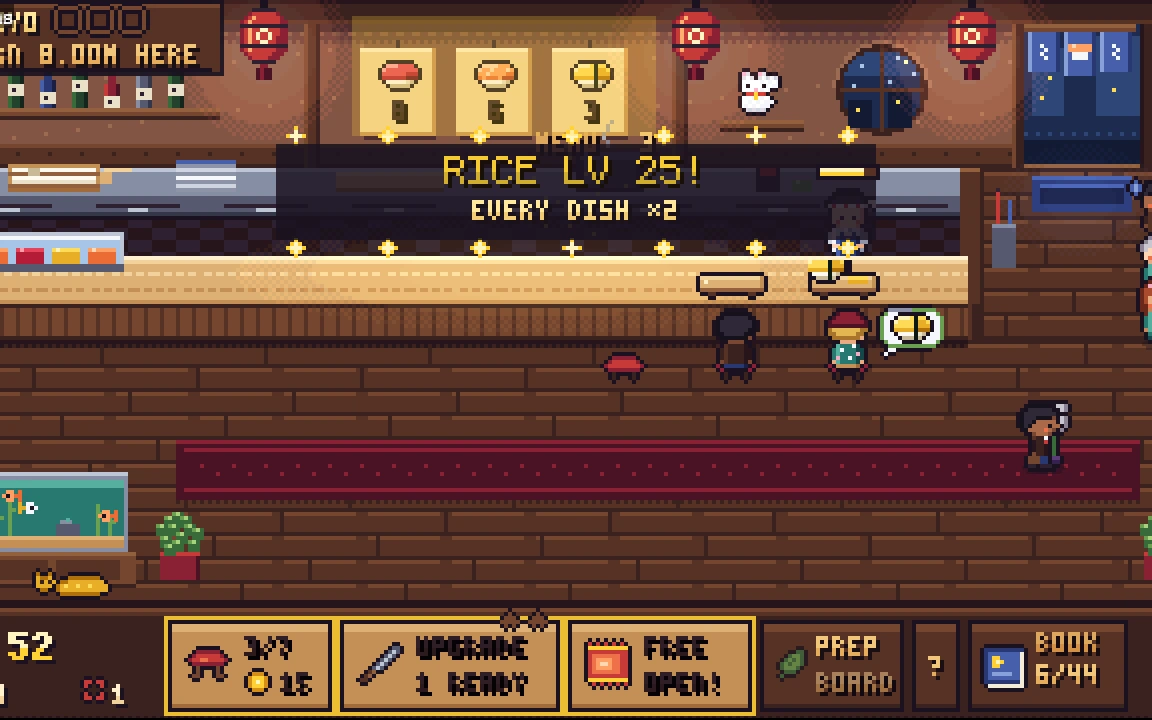
| Milestone | a ×2, a goal, a new dish, a new city | the room dims, the music ducks, a short fanfare; one at a time, the rest queue |
Balatro does the same: its flames grow with the size of the hand, so you feel a big score before you read it (GamesRadar).
2. Busy, but not noise
Above 8 events a second, sales merge into one counter ("+1.24K ×12") with one richer chime. Managers' purchases get a quiet sound and one toast that keeps counting ("HANA BOUGHT 7 UPGRADES") instead of a new one every second. Claude recorded a busy late game and counted what plays: the worst second had 14–20 events and played 8–10 sounds. With every event tripled, 51 events became 8 sounds.
3. Sounds from the world
Unpacking has over 14,000 sound files, but it got there with shared material sounds plus small extra layers for character (Game Developer). Neta does the same on a small scale: base sounds for wood, ceramic, fish, rice and paper, and an extra layer by dish (nori for rolls, a box knock for pressed sushi, a torch sizzle for aburi). Customers get a door chime, tea poured when they sit, chopsticks, hums and grumbles, each with 3–5 variations so nothing repeats exactly.
4. Music for hours
Each city has a 2 to 2.5 minute loop of four layers on one shared theme. The pad is always on, and the melody, percussion and bells fade in as the shop fills. The melody drops out for whole sections, and every third loop the music stops for 20–60 seconds of ambience only (rain and late trains in Tokyo, crickets and the river in Fukuoka), so it never gets tiring.
5. A measured mix
- The full mix averages −19.0 LUFS, inside the −16 to −20 target for a browser game. The music sits 5.9 dB under the effects.
- Separate sliders for music, effects and ambience (70% by default), saved on the device.
- Reduced motion follows the system setting and removes shake, flying coins and bounces, but keeps colour and sound. Nothing flashes more than 3 times a second.
- The game plays exactly the same with effects on and off: a save after 20 simulated minutes is identical either way.
What it cost
One prompt, no follow-ups: 43 minutes and $7.00 of Claude Code working alone, starting from the part 5 game.
Next: starting over
Six parts in, Neta works, but playing it showed three problems that can't be patched: inventing sushi came in part 3, after the shop already worked without it, so it feels like a side screen; 320×180 with 12–16 pixel people is too low to show expressions; and the six cities share one room. So we're going to rebuild the game from scratch, with everything this series learned in one design brief from the start. The next posts show how that goes.
Add juice to your game
- Copy the skill below into
.claude/skills/shop-juice/, or download it with its references. - Ask your agent: "Make my game feel great to play and listen to. Important things should be loud, busy moments should never become noise."
- Check its report: the tier table, sounds per second in the busiest moment, the loudness, and that the game plays the same with effects off. Then listen yourself.
The skill that made it work
This is the skill we gave Claude Code. The full version has two reference files: feel (with a tier table template) and audio (with loudness targets and music rules). Copy the rules below, or download it with its references.
- Three tiers of feedback. Ambient (every sale: a small pop and a soft coin tick, 120 ms or less), notable (an upgrade, a combo, a good dish: particles and a rising pitch), milestone (a new dish, a rank-up, a rare card, a new shop: a short pause, a fanfare, the thing shown big). Only one milestone plays at a time; queue the rest.
- Scale to the result. Shake, particle count and sound size grow with the size of the gain in about three steps (for example ±2, ±4, ±8 px of shake for 0.2, 0.3, 0.5 s), with a cap (about 40 particles per burst). Balatro's flames grow with the hand's score, so you feel a big hand before you read it.
- Count up, don't swap. Big numbers roll up over 0.3–0.6 s with a small overshoot; the coin counter bumps when coins land. In a streak, the pitch climbs a step per event and resets after about 1.5 s of quiet.
- Merge when it gets busy. Above about 8 events a second, combine coin sounds and number pops into one counter ("+1,240 ×12"), so automation sounds rich, not like static.
- Make every purchase feel like a change you can see. Bought a seat: it drops in with a bounce. Hired a chef: he waves. A milestone multiplier: a banner and the affected thing glows for a moment.
- Sounds come from the world. Food and kitchen sounds (knife, rice being pressed, a plate set down, a sizzle, tea poured), coins, customers (a door chime, a happy hum, a grumble), and quiet UI blips. Every sound heard often has 3–5 variations and a ±5% random pitch. Shared base sounds per material (wood, ceramic, fish, rice, paper) plus one small extra layer per kind of dish, like Unpacking's sound design.
- Music made of layers. Each shop has one piece built from stems with the same tempo, key and loop length (2 minutes or more): a pad that is always on, then melody, light percussion and an accent, faded in and out (over 1–2 s) by how busy the shop is or the time of day. Every few loops, 20–60 s of ambience only, so it can play for hours without tiring.
- Mix for the browser. Master around −16 to −20 LUFS with a limiter, default volume about 70%, music about 6 dB under effects, UI blips the quietest. Separate sliders for music, effects and ambience, saved. Sound starts only after the first click, and `resume()` the audio context on a click or tap (iOS suspends it in the background).
- Reduced motion. Follow the system's reduced-motion setting by default and add an in-game switch. It removes shake, flashes and parallax but keeps colour and sound feedback. Never more than 3 flashes in any second.
- Measure it. Count events per second at a busy late-game moment and show that merging keeps sounds under the cap. Record short clips (or frame strips) of each tier and look at them. Check the mix with all three sliders at default. Show that the game plays exactly the same with effects on and off (the simulation must not change).
- Report the tier table (event → tier → what you see and hear), the sound list with variations, how the music layers work, and what was not done.
Save it as .claude/skills/shop-juice/SKILL.md in your project. Put the references folder next to it.