All posts
Every tutorial, art style and review, newest first. Pick a type or a topic to narrow it down.
93 posts
-
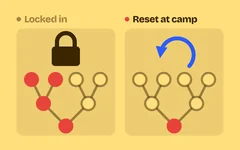 Tutorial When one early choice ruins the run: respec in games, undo and three more ways out of build traps Five ways to stop build traps: cheap respec, undo before commit, full sell-back, a build-versus-challenge check and a fallback answer for every build.
-
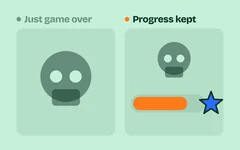 Tutorial "Dying sets me back too much": game over screen design with a death recap, unlocks and three more tricks Five game over screen tricks side by side: a run recap, a death recap, a permanent progress bar, an unlock reveal and one suggestion for the next try.
-
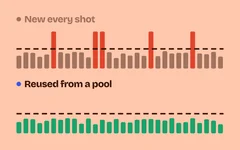 Tutorial Why your game stutters when the screen fills up: object pooling, draw batching and three more game optimization techniques Five game optimization techniques for smooth web games, side by side with live frame-time graphs: object pools, batched drawing, off-screen culling, work spread over frames and a quality scaler.
-
 Tutorial Why players skip your dialogue: how to create stakes in a story, with five game-writing tricks How to create stakes in a game story, shown side by side: open on a want, end on a change, put a familiar face at risk, plant the final question and limit new names.
-
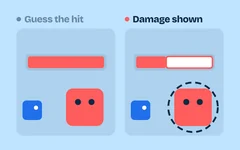 Tutorial "That felt unfair": damage preview, hit chance and three more ways to show the outcome before the player commits Five outcome preview tricks for tactics, RPG and puzzle games, side by side: hit chance, damage forecast, immunity marks, enemy intent and move preview.
-
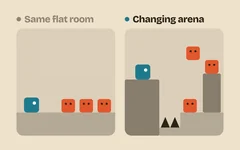 Tutorial Why your fights feel repetitive: mixed enemy roles, changing arenas and three more combat encounter design tricks Five encounter design tricks that keep fights fresh, shown side by side: mixed roles, varied arenas, encounter rules, breaking the favourite plan and no repeats. With a copyable Claude Code skill.
-
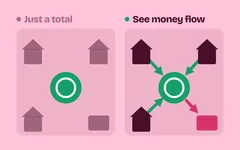 Tutorial "Why am I always broke?" Game currency UI that shows income, upgrade effects and three more readouts Five game currency UI readouts side by side: an income breakdown, a live rate, before-and-after upgrade previews, price reasons and a preview of where a choice leads.
-
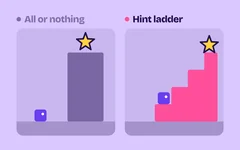 Tutorial "I know what to do but I'm stuck": a game hint system with a hint ladder, timed nudges and three more tricks Five tricks for a game hint system side by side: rules taught alone, confirmed steps, a delayed nudge, a hint ladder from vague to explicit and an in-world pointer.
-
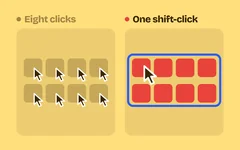 Tutorial "The menus are annoying": game menu UI design with hotkeys, bulk actions and three more tricks Five game menu UI tricks, side by side, that cut clicks from common actions: hotkeys, bulk actions, menus that remember, undo instead of confirm, and sort and pin.
-
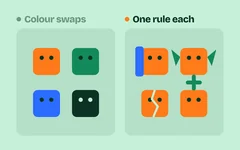 Tutorial Why all your enemies feel the same: one rule per enemy, an answer grid and three more enemy design tricks Five enemy design tricks so every enemy asks something different, shown side by side: one rule each, an answer grid, spaced introductions, variants and outgrowing old foes. With a Claude Code skill.
-
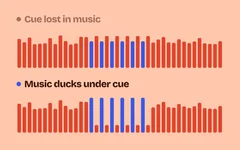 Tutorial Why your game's sound gets tiring: game audio mixing with volume tiers, ducking and three more tricks Five game audio mixing tricks, side by side with live level meters: volume tiers with sliders, ducking, voice limits per sound, a high-frequency cut and a master limiter.
-
 Tutorial "No reason to play again": add replay value with star ratings, par times and three more mastery goals Five tricks that add replay value side by side: a star rating, a par time, a saved personal best, the gap to the next target and a ghost of your best run.
-
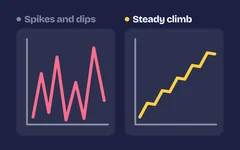 Tutorial Too hard, then too easy: difficulty curve game design with time-to-kill targets and three more tricks Tune enemies by numbers, not guesses: a player power curve, time-to-kill and time-to-die targets, a spike check and Sid Meier's double-or-halve rule.
-
 Tutorial Why players quit before the fun starts: cold opens, a first win in 60 seconds and three more video game opening tricks Five tricks for a game's first minute, shown side by side: an instant start, a cold open in the core loop, a fast first win, story after the win and setup left to defaults. With a Claude Code skill.
-
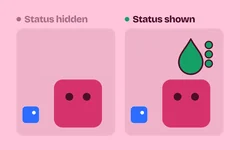 Tutorial "What does this number mean?": game tooltip design with plain effects, nested keywords and three more tricks Five game tooltip design tricks, side by side: label every icon, write effects as plain outcomes, nest keyword tooltips, call out rules as they fire and show controls in place.
-
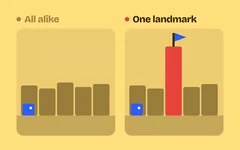 Tutorial Why players get lost in your levels: wayfinding in games with landmarks, an auto-map and three more tricks Five wayfinding tricks side by side: a clear main path, a landmark seen from afar, colour zones, a map that fills in as you explore and a reward at every branch end.
-
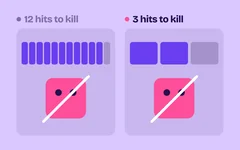 Tutorial Why hitting enemies feels weak: hits to kill, the damage formula and three more combat number tricks Make combat numbers feel good: commons die in 2 to 4 hits, numbers stay small, armor never zeroes damage, tanks are rare and marked, and damage spread is tight.
-
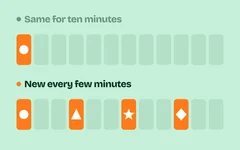 Tutorial Why your game gets boring after ten minutes: new things on a schedule, rest beats and three more pacing tricks Five pacing tricks that keep a game fresh, shown side by side: new elements on a schedule, four steps per mechanic, rest beats, a midpoint twist and cutting padding. With a copyable Claude Code skill.
-
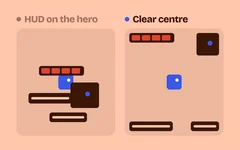 Tutorial "I can't find my character": game HUD design with a clear centre, ranked messages and three more tricks Five game HUD design tricks, side by side: keep the centre clear, show elements only when needed, rank and hold messages, show enemy bars only when relevant, and one UI style.
-
 Tutorial A hand of cards, unlock fanfares and an 8-hour route: our sushi incremental's fourth playtest A fourth playtest said Neta was too smooth. Now every card is a single-use token in your hand, each city has six unlock moments with a fanfare, and the route lasts about 8 hours. Part 15.
-
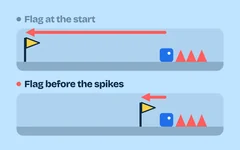 Tutorial Why dying feels so punishing: game checkpoint design, instant retry and three more tricks Five ways to make failure cost seconds instead of minutes: checkpoints before hard spots, mid-points, instant retry, skippable boss intros and something kept on death.
-
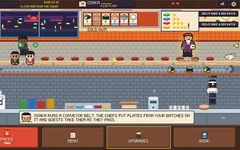 Tutorial What Cookie Clicker's numbers taught our sushi game: small buys, big jumps and a visitor worth clicking We read Cookie Clicker's numbers from its console: most buys add 1–5%, broken by rare big jumps. Neta now has that rhythm, a collection multiplier and visitors to click. Part 14.
-
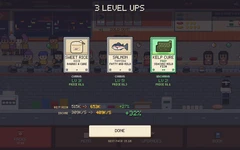 Tutorial Do the math first: why every upgrade felt like nothing, and why packs shouldn't promise new cards A playtester got stuck in Osaka: upgrades did nothing and cards ran out. The fix was math: ×1.10 upgrades, cost growth from a formula, and packs that keep their odds. Part 13.
-
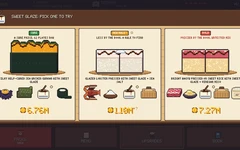 Tutorial Fewer choices, better choices: 3-card packs and a pick of three for every new card A second playtest found too much on screen. Now packs are 3 cards, each new card brings one pick of three, and only what you own is shown. Part 12.
-
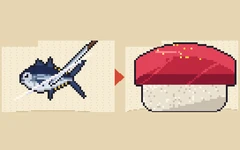 Tutorial Show the fish, not the sushi: 77 ingredient cards redrawn so cooking feels like a reward Our cards showed finished sushi, so cooking showed nothing new. All 77 now show the raw fish, and a knife cuts it onto the rice when you make a dish. Part 11.
-
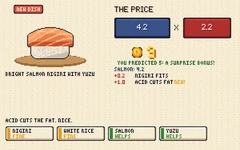 Tutorial An incremental is about numbers: rebuilding our sushi game's core loop after one playtest A playtest said Neta played like a simulation. One Claude Code session rebuilt it around price: ingredients that run out, one try per card, duplicates that level up. Part 10.
-
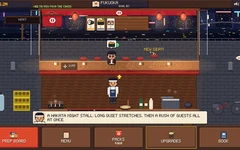 Tutorial Four cities built at the same time by four Claude Code sessions, and not one merge conflict Four Claude Code sessions built Toyama, Kanazawa, Sapporo and Fukuoka at the same time, each in its own folder, and a fifth combined them. Neta now plays to the credits. Part 9.
-
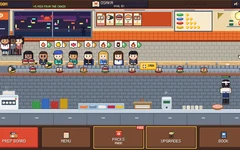 Tutorial A second city that plays differently: Osaka's conveyor belt, and a chain built for parallel sessions The rebuilt Neta becomes a chain, and Osaka is a different place with a real twist: a conveyor belt where you choose each dish's plate colour. Part 8.
-
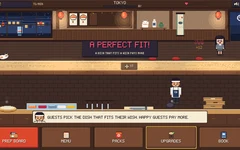 Tutorial Starting over: rebuilding our sushi game from one design brief, at twice the resolution Six parts in, we wrote one page of design brief and let Claude Code rebuild our sushi game from scratch: inventing first, guests who ask for flavours, pixel art at 640×360. Part 7.
-
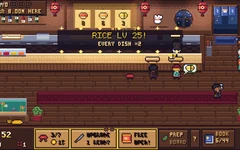 Tutorial Juice, sound and music for an incremental game: loud when it matters, never noise One prompt and a skill gave our sushi chain three tiers of feedback, kitchen and customer sounds, and calm layered music for six cities, all made in code. Part 6. Listen to each city.
-
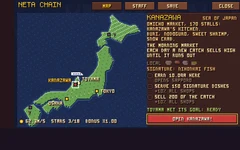 Tutorial From one sushi bar to a chain across Japan: six cities, each with its own local sushi One prompt and a skill grew our sushi bar into a chain of six shops across Japan, each with its own local sushi and twist, plus managers, saving and real credits. Part 5.
-
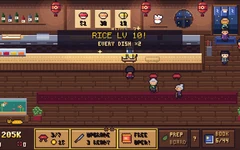 Tutorial Balancing an incremental game with bots that play it: an hour with no dead time One prompt and a skill rebuilt our sushi bar's economy, and bots played 84 hours of the real game in 14 seconds to prove there is always something to buy. Part 4.
-
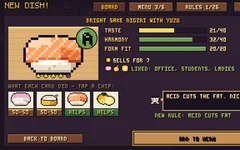 Tutorial Inventing sushi with flavour rules from real chefs: a crafting system you can learn One prompt and a skill turned card packs into ingredients: combine them into your own sushi, judged by 26 rules from Edomae chefs, where every try teaches one. Part 3.
-
 Tutorial Card packs that feel like an event: six rarity tiers, holo foil and fair odds One prompt and a skill added card packs to our sushi bar: 28 pixel-art cards from Common to Ultimate, each tier with one more effect, a reveal that builds, and fair, shown odds. Part 2.
-
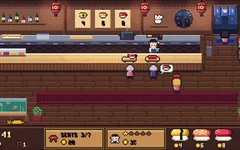 Tutorial A pixel sushi bar in one prompt: customers, a chef and coins, Kairosoft style One prompt and a skill gave us a pixel sushi bar that runs itself: 30 customers, a chef, moods you read without words and coins to spend. Part 1 of a sushi chain incremental.
-
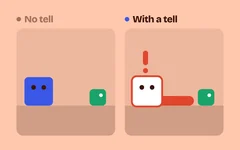 Tutorial "I never saw that coming": telegraphed attacks in games, with wind-ups, danger zones and three more tricks Five ways to make enemy attacks readable: wind-up poses, a danger flash, ground markers, audio cues and a recovery window, each shown side by side with a skill you can copy.
-
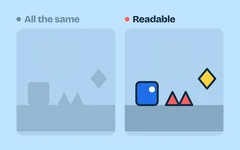 Tutorial Why players miss what matters: silhouettes, value contrast and three more readability tricks Five tricks for visual readability in games, shown side by side with a grayscale toggle: silhouette, value contrast, saturation focus, outlines and one danger color.
-
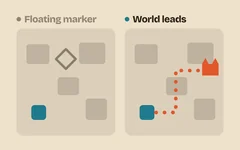 Tutorial "Where do I go now?": RPG quest design that players can follow Five quest design tricks side by side: a reason given in the world, guidance without floating markers, a tracker line that says what to do, a real step, and an answer for every action.
-
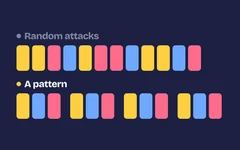 Tutorial Why your boss feels cheap: boss battle design with phases, patterns and three more rules Five boss battle design rules that make a fight fair and learnable: phases, a repeating pattern, punish windows, escalation and a readable arena, each shown side by side.
-
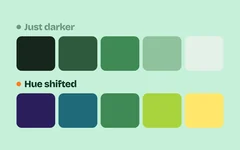 Tutorial Why your game's colors look muddy: limited palettes, hue shifting and three more color palette tricks Five color palette tricks for game art, shown side by side: limited palette, hue-shifted ramps, harmony, value range and palette swaps, with ramp values you can copy.
-
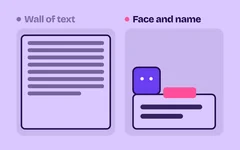 Tutorial Why players skip your dialogue: game dialogue box design in five tricks The same conversation in a plain box and a good one: typewriter text you can tap through, a narrow box with a portrait, short lines, ambient barks and matching faces.
-
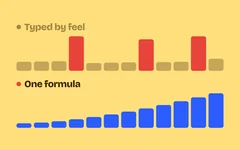 Tutorial Why levelling feels like a grind: XP curve formulas, fast early levels and three more tricks Five XP curve tricks with formulas you can copy: curve shape, fast early levels, a real level-up moment, catch-up XP and milestone rewards, each shown side by side.
-
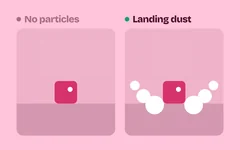 Tutorial Why your jumps land with no weight: landing dust, hit sparks and three more game particle effects Five game particle effects that sell an action, shown side by side: landing dust, hit sparks, motion trails, smoke that fades and a colour ramp, with numbers you can copy.
-
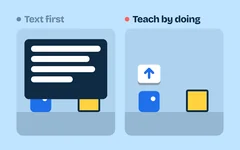 Tutorial Players skip your tutorial text: game tutorial design that teaches by doing Teach controls with the world instead of text boxes: an object that needs each control, a small key icon, a safe first try, readable rules and systems taught when they matter.
-
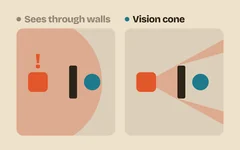 Tutorial Why your enemies feel dumb: vision cones, alert states and three more enemy AI tricks Five enemy AI tricks that make guards feel smart, shown side by side: vision cones, alert states, last known position, search patterns and barks. With a copyable Claude Code skill.
-
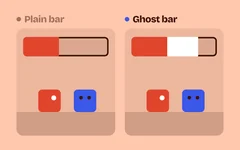 Tutorial "How much did that hit take?": health bar UI design with a ghost bar, damage numbers and three more tricks Five health bar UI tricks that show what just happened, side by side: a delayed ghost bar, damage numbers, a low-health warning, segment ticks and a heal preview.
-
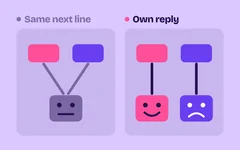 Tutorial "My choices didn't matter": how to make meaningful choices in games Five tricks side by side that make a choice feel real: react at once, pay it off later, let characters remember, cut fake choices and show the stakes before the player picks.
-
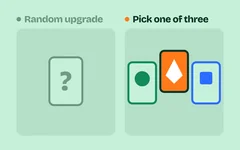 Tutorial Why your level-ups feel random: pick one of three, rarity and three more roguelike upgrade tricks Five tricks for a roguelike upgrade system, shown side by side: pick one of three, rarity weights, synergies, reroll and banish, and no dead picks. With a copyable Claude Code skill.
-
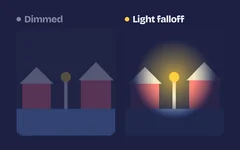 Tutorial Why your 2D scenes look flat: ambient tint, light falloff and three more 2D lighting techniques Five cheap 2D lighting techniques on the same night scene, side by side: ambient tint, soft light falloff, shadows, flicker and glow. Walk through them yourself, then add them to your game.
-
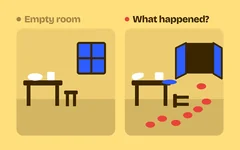 Tutorial What happened here? Environmental storytelling examples you can build Let a room tell its story without words: objects that imply an event, before and after, framing that leads the eye, discoveries players make themselves and places that look lived in.
-
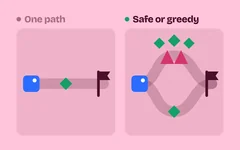 Tutorial Safe or greedy? Risk reward game design with push-your-luck, greed timers and three more tricks Five risk and reward tricks that give players real choices: a risky route, push-your-luck banking, a greed timer, combo cash-out and visible stakes, each shown side by side.
-
 Tutorial Friend or foe at a glance: shape language in character design, with circles, squares and triangles The same characters drawn with plain shapes and with shape language: round friends, square tanks, pointed threats, exaggerated proportions and a silhouette test.
-
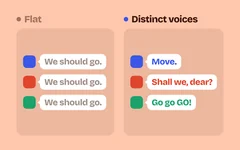 Tutorial Cover the names: can you tell who's talking? Writing distinct character voices for games The same scene written flat and in five distinct voices, with a guess-who-said-it test: register, sentence rhythm, verbal tics, how characters address others and how they crack under stress.
-
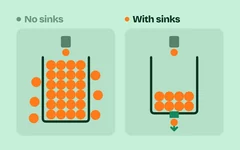 Tutorial Rich with nothing to buy? Game economy design with currency sinks, price scaling and three more tricks Five game economy design tricks that stop inflation: currency sinks, price scaling, a wallet cap, things worth buying and an inflation check, with simulations side by side.
-
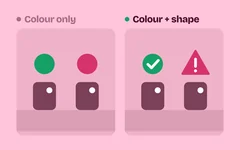 Tutorial Players you lock out without knowing: five game accessibility guidelines to start with Five game accessibility basics side by side: cues beyond colour, readable subtitles, large high-contrast text, a reduce-motion slider and hold-or-toggle controls with remapping.
-
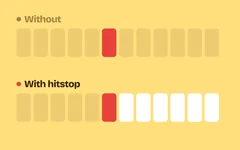 Tutorial Why your hits feel weak: hitstop, screen shake and three more impact tricks The same punch, with and without the five tricks action games use to make hits land: hitstop, screen shake, hit flash, knockback and squash. Watch them side by side, then add them to your game.
-
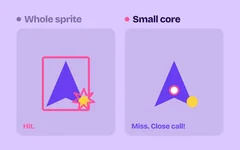 Tutorial "That didn't even touch me": invincibility frames, hitboxes and hurtboxes Why fair games use a hurtbox smaller than the sprite, a few invincible frames after each hit, and attacks that reach a bit further than they look. Five rules side by side.
-
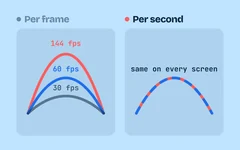 Tutorial Why your game runs faster on a 144 Hz screen: delta time and fixed timestep The same jump at 30 and 144 fps, with and without delta time, a fixed timestep, interpolation, a capped frame time and frame-rate-independent smoothing. Watch them side by side.
-
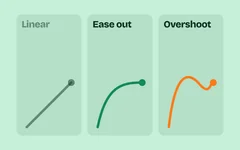 Tutorial Easing functions for games: which one to use, with a live cheat sheet Ease-out, ease-in-out, overshoot, bounce and anticipation, each shown side by side with linear motion, plus a live cheat sheet of all 31 standard easings and when to use them.
-
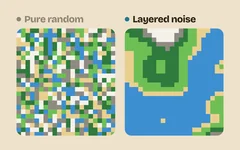 Tutorial Procedural generation that doesn't look random: 5 techniques, tested on 1,000 seeds Noise terrain, a Spelunky-style room grid, cellular-automata caves, Poisson-disk scattering and wave function collapse, each next to plain random and checked on 1,000 seeds.
-
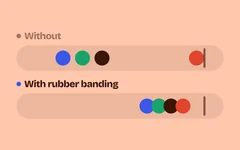 Tutorial Games that quietly adjust to you: rubber banding, AI directors and help after you die Why the last-place kart gets the rocket, and why a game gets a little easier after you die three times. Watch five adaptive tricks side by side, then add them to your game.
-
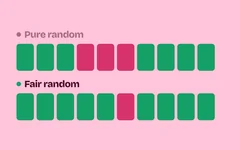 Tutorial Why a 90% shot misses three times in a row, and how games secretly fix their dice True randomness feels unfair: long droughts, missed sure shots, chests that never drop. Watch five tricks games use to make luck feel fair, side by side, then add them to your game.
-
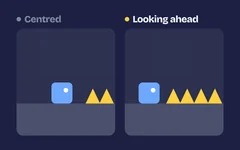 Tutorial Why good 2D cameras don't just follow the player: 5 tricks from 30 years of side-scrollers A camera glued to the player shakes, hides what's ahead and makes jumps feel seasick. Watch five classic camera tricks side by side, with and without, then add them to your game.
-
 Tutorial Games secretly cheat for you: 5 hidden mercy tricks, and how to add them to yours Your last bit of health lasts longer than the bar says, and the first bullet aimed at you misses on purpose. Watch each trick side by side, with and without it, then add them to your game.
-
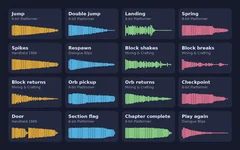 Tutorial Add sound effects to your game in one sentence, with an AI agent We connected Claude Code to our free sound library and said “Add sound effects to my game.” It picked 16 matching sounds, wired them in and tested them. Play the result, then do it in your game.
-
 Tutorial Animating the hero with numbers measured from Celeste, Hollow Knight and Shovel Knight We measured three loved platformers frame by frame, put the numbers in a skill, and one prompt gave our hero a calmer run, a steady head and a scarf that reads. Play it.
-
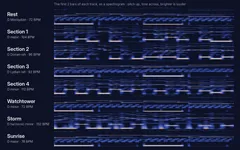 Tutorial An adaptive soundtrack in code: one theme, eight tracks, no DAW One prompt and a skill gave our platformer eight chiptune tracks written as notes in code, all on one theme, that follow the player from room to room. Hear them, then play.
-
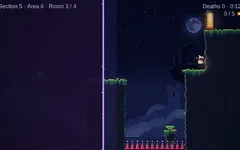 Tutorial From 34 rooms in a row to a journey: rest spots, side challenges and a storm chase One prompt and a skill gave our platformer chapter a shape: five sections with rest spots and a map, calm rooms, long runs, side rooms with stars, and a storm chase finale. Play it.
-
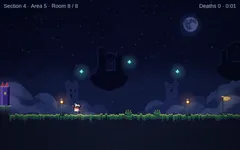 Tutorial Pixel art with Claude Code and a local image model: from squares to night ruins One prompt and a skill turned our platformer's coloured squares into night ruins above the clouds, with a lantern-bearer hero, mossy edges and a starry sky. Drag the slider to compare, then play it.
-
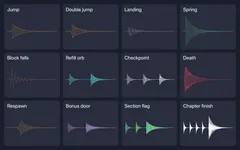 Tutorial Sound effects in one prompt: 17 sounds made in code, no audio files One prompt and a skill gave every jump, landing, spring, crumbling block, orb, death and door in our platformer its own sound, generated with Web Audio. Hear each one, then play with sound.
-
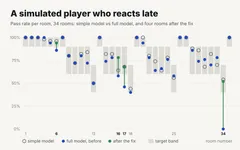 Tutorial When the simulated player reacts late: re-measuring and refining the chapter Our difficulty script now models reaction time, busy hands and errors that run together. One prompt had Claude Code re-measure the 34-room chapter and fix the four rooms that missed.
-
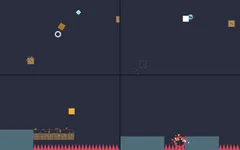 Tutorial Making the chapter feel alive: game juice with Claude Code in one prompt One prompt and a skill gave every jump, landing, spring, crumbling block, orb and death in our platformer a visual reaction, with gameplay unchanged. Switch each effect on and off in the real game.
-
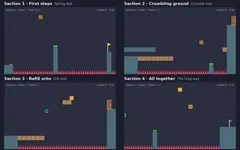 Tutorial A full chapter with Claude Code: 34 rooms, two new mechanics and how they combine We asked Claude Code to grow our platformer into a four-section chapter with crumbling blocks and refill orbs, one session per section. Play all 34 rooms and see what it cost.
-
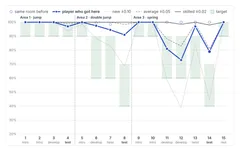 Tutorial Difficulty that grows with the player: measuring every room with simulated players We asked Claude Code to check how hard each room is for new, average and skilled players and reshape the game into waves. See the measured curves before and after, and play the 15 rooms.
-
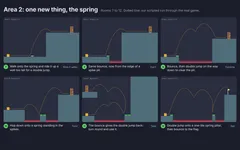 Tutorial Growing a game: adding a spring pad across six rooms with Claude Code We asked Claude Code to add a second area to our platformer that brings in one new thing, a spring pad. See the plan of all 12 rooms, play the game and see what we measured.
-
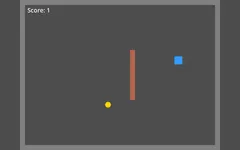 Tutorial A Godot game with Claude Code in three prompts (and do you need MCP?) Claude Code built a small Godot game with a player, walls, a coin and a score, and tested it itself. Here are the prompts, and whether a Godot MCP server is worth it.
-
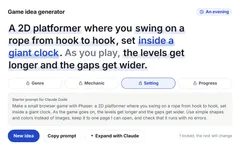 Tutorial 30 game ideas you can build with AI (and a generator) 30 small game ideas for your first game with an AI agent: easy, platformer, puzzle, horror, RPG and mobile. Each has its core loop, a scope and a starter prompt, plus a generator for more.
-
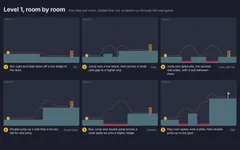 Tutorial Level design with Claude Code: six rooms that teach the jump, using Celeste's rules We asked Claude Code for a six-room first level that teaches run, jump and double jump. Play the result, see each room's story and jump numbers, and compare it with a run without the skill.
-
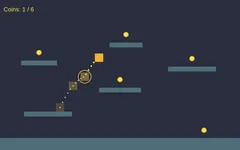 Tutorial Your first game: a platformer with a double jump and coins, in three prompts We asked Claude Code for a browser platformer, then a double jump, then coins to collect. It tested every change in a hidden browser. Play the result.
-
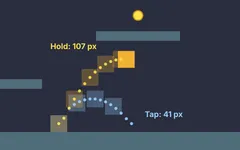 Tutorial Variable jump height in a Phaser platformer: tap to hop, hold to jump high Tap for a small hop, hold for a full jump. Claude Code checked the variable jump height in our Phaser platformer against a skill, measured it in the browser and left it as it was.
-
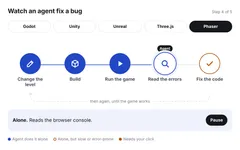 Tutorial Choose your tools: an engine and an AI agent Four quick decisions before your first game: browser or engine, which engine, what it costs, and which AI agent. It ends with a clear pick for beginners.
-
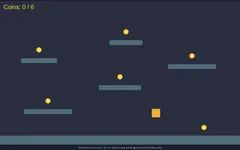 Tutorial Jump buffering: when an early jump should still count In our Phaser platformer, pressing jump just before landing spent the double jump. Claude Code made the press wait for the ground. Play both versions and see what we measured.
-
 Tutorial Coyote time: the jump fix players never notice To show the difference, we started from our double-jump game with coyote time switched off. Claude Code turned it on and tested it. Play both versions and see what we measured.
-
 Tutorial What is a game engine? The game loop, explained Every game runs the same small loop about 60 times a second. An engine runs it for you. Here is what that loop does, what an engine gives you, and what you still write.
-
 Art style Cel-shaded anime Clean outlines and flat two-tone shading. The most consistent style in our test.
-
 Art style Dark ink silhouette Black silhouettes in blue-grey fog, for quiet, moody 2D games. The exact prompts, and what went wrong.
-
 Art style Cozy flat vector Pastel shapes with no outlines and soft gradients, for cozy mobile games.
-
 Art style Hand-painted fantasy Warm, chunky, painterly fantasy art with exaggerated shapes. The exact prompts, and what to check before you use it.
-
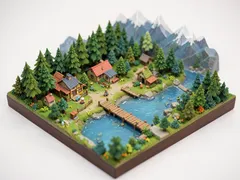 Art style Isometric art A tiny isometric world that looks like a miniature model. Use it for key art and level ideas.
-
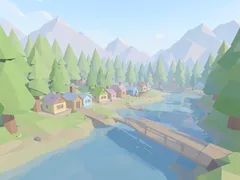 Art style Low poly art Soft pastel low poly with flat-shaded facets. Good for calm 3D games.
-
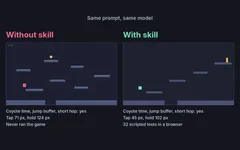 Tool review Does a skill make Claude Code's platformers feel better? We tested it Same prompt, same model, one run with our platformer-feel skill and one without. We measured both jumps. The jump helpers came out the same; the skill made Claude test its game.
-
 Art style 16-bit pixel art Bright 16-bit pixel art with chunky shapes. The exact prompts, plus one fix you need before using it in a game.
-
 Art style Watercolor storybook Soft watercolor washes and light pencil lines, like a picture book. The exact prompts, and two problems to fix.
Nothing matches these filters.